Reign Legacy Account Verification: What Documents You Need
Why Reign Legacy Asks for ID Verification
When you register and make your first deposit on Reign Legacy, the platform will ask you to verify your identity by uploading a valid government-issued ID. This is a standard practice across online casinos and sportsbooks that operate in the Philippines.
Reign Legacy requires ID verification for several reasons. First, the platform needs to confirm you are at least 21 years old—the minimum legal age for online gambling in the Philippines. Second, verification helps prevent fraud, money laundering, and account sharing. Third, it protects your account by ensuring only you can withdraw funds tied to your registered name and payment method.
Account verification also links your real identity to the GCash, Maya, or bank account you use for deposits and withdrawals. This step ensures that when you request a withdrawal, the money goes to the rightful account owner.
If you skip or delay verification, Reign Legacy may limit your account. You might be able to deposit and play games, but withdrawals will typically be blocked until you complete the process. For that reason, it's best to verify your account as soon as you register—before you deposit or claim any bonus.
Accepted Government IDs for Filipino Players
Reign Legacy accepts most Philippine government-issued identification documents. The ID you submit must be current (not expired), show your full name, date of birth, and photo, and match the name on your Reign Legacy account registration.
Here are the most commonly accepted IDs:
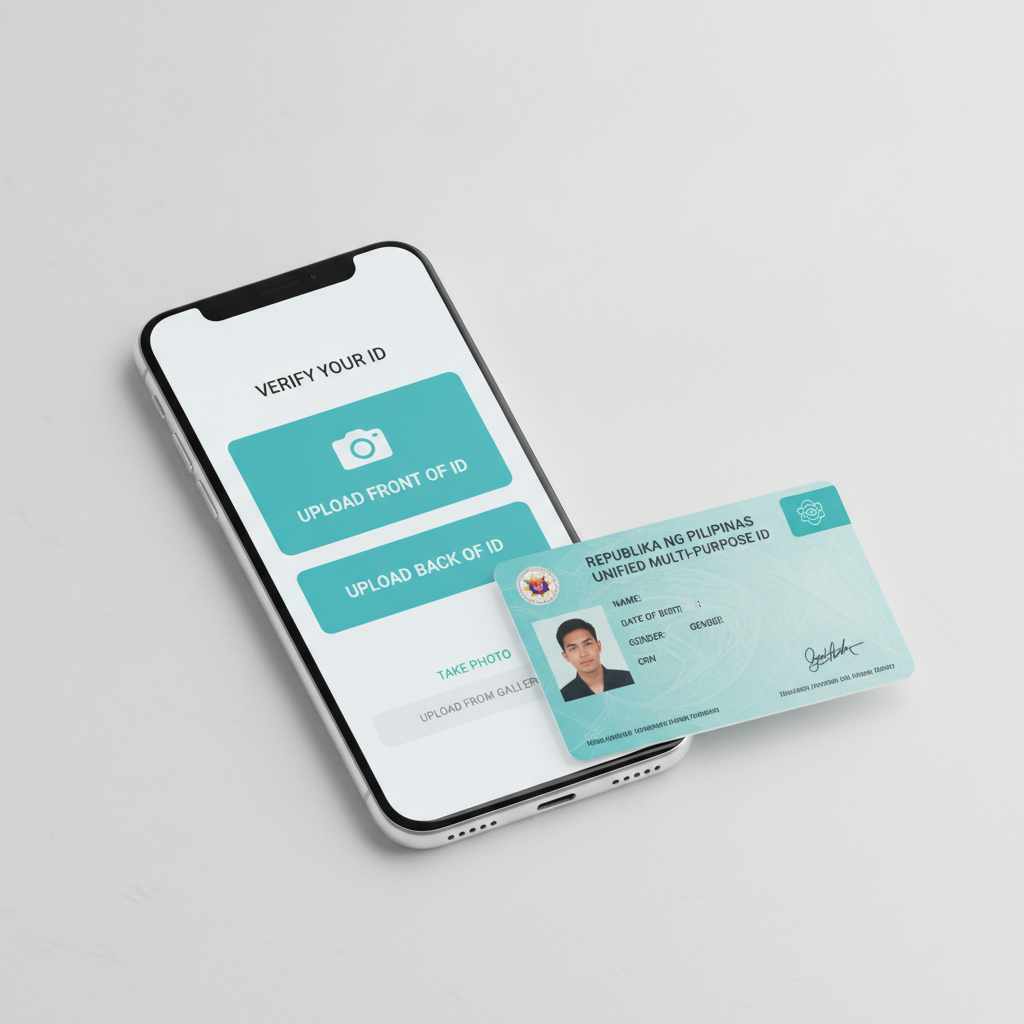
Unified Multi-Purpose ID (UMID) – Also known as the SSS UMID card, this is one of the most widely used IDs in the Philippines. It shows your photo, full name, and date of birth, making it ideal for online casino verification.
Driver's License – A valid Philippine driver's license from the Land Transportation Office (LTO) is accepted. Make sure it has not expired; Reign Legacy will reject outdated licenses.
Passport – Your Philippine passport works well for verification, especially if you don't have other IDs. The bio-page with your photo and personal details is all you need to upload.
Postal ID – Issued by PHLPost, the Postal ID includes your name, photo, address, and date of birth. It is a valid form of identification for Reign Legacy.
Professional Regulation Commission (PRC) ID – If you hold a professional license (teacher, nurse, engineer, etc.), you can use your PRC ID card for verification.
PhilHealth ID – The newer versions of the PhilHealth ID that include a photo and date of birth are generally accepted.
Voter's ID (Comelec ID) – Your voter's registration ID from the Commission on Elections can also be used.
National ID (PhilSys) – The Philippine Identification System (PhilSys) national ID is accepted and increasingly common among Filipino players.
In most cases, you will only need to submit one valid ID. Reign Legacy may request a second document or a proof of address (such as a utility bill or bank statement) if the first submission is unclear or if additional checks are required.
Always upload a clear, legible copy. Blurry photos, cropped edges, or glare from camera flash can cause delays or rejection.
How to Upload Documents Through Your Mobile Phone
Most Filipino players access Reign Legacy on their Android phones, so the verification process is designed to be mobile-friendly. Here's how to upload your ID from your smartphone:
Step 1: Log in to your Reign Legacy account
Open the Reign Legacy website or app on your phone. Tap the login button, enter your username and password, and sign in.
Step 2: Go to the account or profile section
Once logged in, look for a menu icon (often three horizontal lines or a gear icon) at the top corner of the screen. Tap it, then select "Account," "Profile," or "Verification." The exact label may vary, but it's usually easy to find.
Step 3: Choose the document type
The verification page will ask you to select the type of ID you're uploading—driver's license, passport, UMID, etc. Tap the option that matches your document.
Step 4: Take or upload a photo
You'll see a button to upload or capture an image. You have two options:
- Take a photo – Use your phone's camera to snap a picture of your ID. Lay the ID on a flat, well-lit surface. Avoid shadows, glare, and background clutter. Make sure all four corners of the ID are visible in the frame.
- Upload from gallery – If you already have a photo of your ID saved on your phone, tap "Upload" or the gallery icon and select the image.
Step 5: Review and submit
Before you tap "Submit," double-check that the image is clear, the text is readable, and your photo on the ID is visible. If the image looks blurry or cut off, retake it. Once you're satisfied, tap the submit button.
Step 6: Wait for confirmation
After submission, Reign Legacy will display a message confirming that your documents are under review. You may also receive an email or SMS notification.
Tips for a smooth upload:
- Use a well-lit room or natural daylight.
- Hold your phone steady or prop it on a stable surface.
- Avoid using flash, which can create glare.
- Make sure your ID is flat, not bent or folded.
- Do not cover any part of the ID with your fingers.
- Save a copy of the photo you upload in case you need to resubmit.
If you encounter an error message or the upload button doesn't work, try switching from mobile data to Wi-Fi, clearing your browser cache, or restarting the app.
How Long Verification Usually Takes
Reign Legacy typically reviews and approves ID submissions within 24 to 48 hours on business days. In many cases, Filipino players report that verification is completed in less than one day, especially if the documents are clear and match the account details exactly.
Processing time can vary depending on several factors:
- Volume of requests – During weekends, holidays, or promotional periods, the verification team may receive more submissions, leading to slight delays.
- Quality of documents – Clear, high-resolution images are processed faster. Blurry, incomplete, or mismatched documents may be flagged for resubmission, adding extra time.
- Additional checks – If Reign Legacy needs a second ID, proof of address, or clarification on your account details, the process will take longer.
Once your account is verified, you'll receive a confirmation message via email, SMS, or in-app notification. After that, you can make withdrawals without restrictions.
If more than 48 hours pass without any update, check your email inbox (including spam or junk folders) for messages from Reign Legacy. You can also contact customer support through live chat or the help section in your account to ask about the status.
What Happens If Your ID Is Rejected
Sometimes, Reign Legacy will reject an ID submission. Common reasons include:
- Expired ID
- Name on the ID does not match the name on the Reign Legacy account
- Blurry or illegible photo
- Edges of the ID are cut off
- Wrong document type (for example, uploading a company ID or student ID instead of a government-issued ID)
If your submission is rejected, Reign Legacy will notify you and explain why. You will be given the option to upload a new or corrected document. Make sure to address the issue—use a current ID, improve the photo quality, or update your account name if there's a mismatch.
Do not create a second account to avoid verification. Reign Legacy prohibits multiple accounts, and duplicate registrations can result in both accounts being suspended.
21+ Requirement and Responsible Gambling Note
Reign Legacy is open only to players who are 21 years old or older. This age restriction is strictly enforced through the ID verification process. If your submitted ID shows that you are under 21, your account will be suspended or closed.
Online gambling should be treated as entertainment, not a way to make money. Set a budget before you play, and never deposit more than you can afford to lose. If you feel that gambling is becoming a problem, take a break or seek help from local support services. Reign Legacy offers account limits and self-exclusion tools to help players stay in control.
This guide is an independent resource for Filipino players interested in learning how to verify their Reign Legacy account. It is not affiliated with or endorsed by Reign Legacy. Always check the official Reign Legacy website for the most current verification requirements and policies.